What exactly is a font duo for minimalist autumn wedding invitations?
A font duo is simply two typefaces working together: one for headlines or couple names, and one for body text like dates, times, and venue details. For a fall wedding with a minimalist aesthetic, the goal is contrast without competition. You want a pairing that feels calm and intentional, where the primary font catches the eye and the secondary font stays quiet and highly legible. This approach keeps your invitation suite looking cohesive across save-the-dates, detail cards, and RSVP inserts.
When should you lock in your invitation typography?
Choose your typefaces before you finalize colors or paper textures. Typography dictates spacing, hierarchy, and how much text fits comfortably on a standard 5x7 card. If you wait until the end, you might force a decorative font into a layout that needs clean readability, or you might end up resizing text until it looks cramped. Planning your lettering early also makes it easier to coordinate with your wedding website and day-of signage. You can explore more layout strategies in our notes on how modern type combinations shape invitation layouts.
Which font pairings actually work for fall weddings?
Autumn invitations benefit from typefaces that feel grounded and slightly warm. Try a geometric sans serif paired with a traditional serif, or a clean sans with a low-contrast script that mimics handwriting without heavy flourishes. For example, Montserrat works well for names and headers, while Lora handles smaller details smoothly. Another reliable combination pairs Cormorant Garamond for elegant titles with Inter for crisp body copy. These pairings keep the design quiet, readable, and seasonally appropriate without leaning into heavy gothic or overly ornate styles.
What mistakes ruin a clean autumn invitation layout?
The most common error is picking two decorative fonts that fight for attention. When both typefaces have strong personalities, the invitation looks busy and the important details get lost. Another mistake is ignoring x-height and line spacing. Fall color palettes like burnt orange, olive, or deep plum can darken a page, so tight leading makes text feel heavy and hard to scan. Some couples also stretch or condense fonts to fit a line, which distorts letterforms and breaks the minimalist feel. If you want to keep your entire paper suite consistent, our tips on coordinating type across invitation sets can help you avoid these layout traps.
How do you test and finalize your typography choices?
Print a draft at actual size on the paper you plan to use. Screen rendering lies about weight and spacing, especially with lighter font styles. Check that guest names, dates, and addresses are readable at arm’s length. Adjust tracking slightly if letters feel too tight, but keep body text between 10 and 12 points for comfortable reading. Make sure your secondary font has a regular and a bold weight so you can create hierarchy without adding a third typeface. When you are happy with the proof, lock the styles and reuse them across menus, programs, and place cards. You can see more seasonal pairing examples in our collection of autumn wedding typography ideas.
Quick checklist before you send your files to print
- Confirm you are using exactly two typefaces across all invitation pieces
- Set body text between 10 and 12 points with comfortable line spacing
- Check contrast between ink color and paper, especially with dark autumn tones
- Print a physical proof on your final paper stock and read it from three feet away
- Export files as PDF with fonts embedded or outlined to prevent substitution
Start by typing your actual wedding details into a blank document, apply your chosen duo, and adjust spacing until the layout breathes. Once the hierarchy feels clear, send a test print to your stationer or home printer and review it in natural daylight. Small tweaks now save reprints later.
Download Now Modern Minimalist Wedding Invitation Font Combinations Guide
 Selecting Fonts for a Minimalist Wedding Invitation Suite
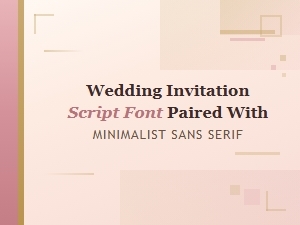 Script Font & Sans Serif Minimalist Wedding Invitation Pairing
 Gothic Lettering for Vintage Wedding Invitations
 Vintage Ornamental Cursive Meets Classic Serif Pairings
 Elegant Script and Serif Font Pairings of the 1920s